



🕯️ Magic Note
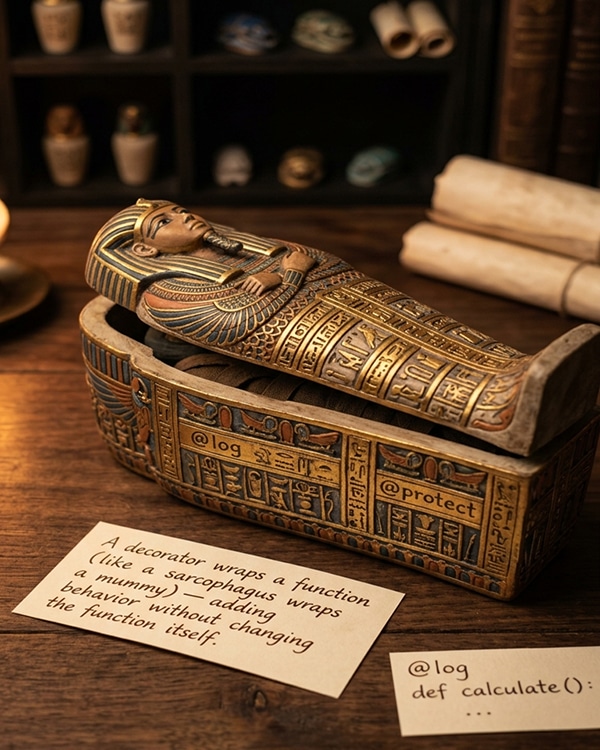
The @decorator syntax is syntactic sugar. When you write @my_decorator above a function definition, it is equivalent to def func(): …; func = my_decorator(func). Understanding this substitution is the key to understanding decorators.
Python
# Functions are objects
def greet(name):
return f”Hello, {name}!”
# Assign function to variable
say_hello = greet
print(say_hello(“Ali”)) # Hello, Ali!
# Pass function as argument
def call_function(func, arg):
return func(arg)
print(call_function(greet, “Sara”)) # Hello, Sara!
# Return function from function
def make_multiplier(n):
def multiplier(x):
return x * n
return multiplier
double = make_multiplier(2)
print(double(5)) # 10
Python
def logger(func):
def wrapper(*args, **kwargs):
print(f”Calling {func.__name__}”)
result = func(*args, **kwargs)
print(f”{func.__name__} finished”)
return result
return wrapper
@logger
def say_hello(name):
print(f”Hello, {name}!”)
@logger
def add(a, b):
return a + b
say_hello(“Ali”)
# Output:
# Calling say_hello
# Hello, Ali!
# say_hello finished
result = add(5, 3)
print(f”Result: {result}”)
# Calling add
# add finished
# Result: 8
🕯️ Magic Note
The decorator @logger is equivalent to say_hello = logger(say_hello). The logger function receives say_hello and returns wrapper. Then wrapper is called instead of the original function.
Python
from functools import wraps
def logger(func):
@wraps(func) # Preserves func’s metadata
def wrapper(*args, **kwargs):
print(f”Calling {func.__name__}”)
result = func(*args, **kwargs)
print(f”{func.__name__} finished”)
return result
return wrapper
@logger
def greet(name):
“””Say hello to someone.”””
print(f”Hello, {name}!”)
print(greet.__name__) # greet (not wrapper)
print(greet.__doc__) # Say hello to someone.
Python
import time
from functools import wraps
def timer(func):
@wraps(func)
def wrapper(*args, **kwargs):
start = time.perf_counter()
result = func(*args, **kwargs)
end = time.perf_counter()
print(f”{func.__name__} took {end – start:.6f} seconds”)
return result
return wrapper
@timer
def slow_function():
time.sleep(1)
return “Done”
@timer
def fast_function():
return sum(range(1000000))
slow_function()
fast_function()
Python
from functools import wraps
def memoize(func):
cache = {}
@wraps(func)
def wrapper(*args):
if args not in cache:
print(f”Computing {func.__name__}{args}”)
cache[args] = func(*args)
else:
print(f”Using cached result for {func.__name__}{args}”)
return cache[args]
return wrapper
@memoize
def fibonacci(n):
if n < 2:
return n
return fibonacci(n – 1) + fibonacci(n – 2)
print(fibonacci(10)) # Computing fibonacci(10) runs once
print(fibonacci(10)) # Using cached result
🕯️ Magic Note
Python has a built-in caching decorator: functools.lru_cache. It is more sophisticated and thread-safe. Use it instead of writing your own for production code.
Python
from functools import lru_cache
@lru_cache(maxsize=128)
def fibonacci(n):
if n < 2:
return n
return fibonacci(n – 1) + fibonacci(n – 2)
print(fibonacci(50)) # Computes quickly thanks to caching
Python
from functools import wraps
def require_admin(func):
@wraps(func)
def wrapper(user, *args, **kwargs):
if not user.get(“is_admin”, False):
raise PermissionError(“Admin access required”)
return func(user, *args, **kwargs)
return wrapper
@require_admin
def delete_user(admin, user_id):
print(f”User {user_id} deleted by {admin[‘name’]}”)
admin_user = {“name”: “Ali”, “is_admin”: True}
regular_user = {“name”: “Sara”, “is_admin”: False}
delete_user(admin_user, 42) # Works
# delete_user(regular_user, 42) # Raises PermissionError
Python
import time
from functools import wraps
def retry(max_attempts=3, delay=1):
def decorator(func):
@wraps(func)
def wrapper(*args, **kwargs):
for attempt in range(1, max_attempts + 1):
try:
return func(*args, **kwargs)
except Exception as e:
print(f”Attempt {attempt} failed: {e}”)
if attempt == max_attempts:
raise
time.sleep(delay)
return None
return wrapper
return decorator
@retry(max_attempts=3, delay=0.5)
def unstable_network_call():
import random
if random.random() < 0.7:
raise ConnectionError(“Network timeout”)
return “Success!”
result = unstable_network_call()
print(result)
🕯️ Magic Note
This decorator takes arguments itself. Notice the double nesting: decorator returns a function that decorates. This pattern is used for decorators that accept parameters.
Python
from functools import wraps
def repeat(times):
“””Decorator that repeats a function multiple times.”””
def decorator(func):
@wraps(func)
def wrapper(*args, **kwargs):
results = []
for _ in range(times):
results.append(func(*args, **kwargs))
return results
return wrapper
return decorator
@repeat(times=3)
def greet(name):
return f”Hello, {name}!”
print(greet(“Ali”)) # [‘Hello, Ali!’, ‘Hello, Ali!’, ‘Hello, Ali!’]
Python
from functools import wraps
def add_repr(cls):
“””Add a __repr__ method to a class.”””
def __repr__(self):
attrs = [f”{k}={v!r}” for k, v in self.__dict__.items()]
return f”{cls.__name__}({‘, ‘.join(attrs)})”
cls.__repr__ = __repr__
return cls
@add_repr
class Person:
def __init__(self, name, age):
self.name = name
self.age = age
p = Person(“Ali”, 25)
print(p) # Person(name=’Ali’, age=25)
Python
@timer
@logger
def process_data(data):
return sum(data)
# This is equivalent to:
# process_data = timer(logger(process_data))
# logger runs first, then timer wraps around it
process_data([1, 2, 3, 4, 5])
Python
import time
import functools
from typing import Callable, Any
def api_call(max_retries: int = 3, delay: float = 1.0, log: bool = True):
“””Decorator for API calls with retry and logging.”””
def decorator(func: Callable) -> Callable:
@functools.wraps(func)
def wrapper(*args, **kwargs) -> Any:
if log:
print(f”Calling {func.__name__} with args={args}, kwargs={kwargs}”)
start = time.perf_counter()
for attempt in range(1, max_retries + 1):
try:
result = func(*args, **kwargs)
end = time.perf_counter()
if log:
print(f”{func.__name__} completed in {end – start:.4f}s”)
return result
except Exception as e:
print(f”Attempt {attempt}/{max_retries} failed: {e}”)
if attempt == max_retries:
raise
time.sleep(delay)
return None
return wrapper
return decorator
| Decorator | Purpose |
|---|---|
| @staticmethod | Defines a static method (no self or cls) |
| @classmethod | Defines a class method (receives cls) |
| @property | Turns a method into a read-only attribute |
| @abstractmethod | Declares a method as abstract (requires subclass to implement) |
| @functools.lru_cache | Caches function results |
| @functools.wraps | Preserves metadata of wrapped function |
- ]Forgetting to return the wrapper function from the decorator
- ]Forgetting to call the original function inside the wrapper
- ]Not using @wraps and losing function metadata
- ]Decorator arguments causing an extra layer of nesting confusion
- ]Modifying args or kwargs without understanding the impact
- ]Applying decorators in the wrong order
Python
# Common mistake: Forgetting to return the wrapper
def bad_decorator(func):
def wrapper(*args, **kwargs):
print(“Before”)
return func(*args, **kwargs)
# Missing: return wrapper
# Correct:
def good_decorator(func):
def wrapper(*args, **kwargs):
print(“Before”)
return func(*args, **kwargs)
return wrapper # Must return the wrapper
- Write a decorator that prints “Starting…” before a function and “Finished” after.
- What is the purpose of functools.wraps?
- How do you write a decorator that takes arguments?
- What is the order of execution when multiple decorators are applied?
- Write a decorator that caches results based on arguments.
- Why are functions considered first-class objects in Python?
⚡ Whisper
A decorator is a wrapper, a cloak, a second skin around a function. It does not change the function’s soul. It adds something before. Something after. Something around. Logging. Timing. Caching. Permissions. Retries. The function inside remains unchanged, pure, focused on its core task. The decorator handles the rest. This is separation of concerns. This is the DRY principle. This is elegance. Decorators take practice. The double nesting for arguments is confusing at first. The @wraps is easy to forget. But once you understand, you will see decorators everywhere. In web frameworks like Flask (@app.route). In testing (@pytest.fixture). In your own code. Start simple. Write a @timer decorator. Then @logger. Then combine them. Soon you will reach for decorators whenever you see repeated patterns across functions. That is mastery. Not knowing every detail. Knowing when a decorator is the right tool.


