



🕯️ Magic Note
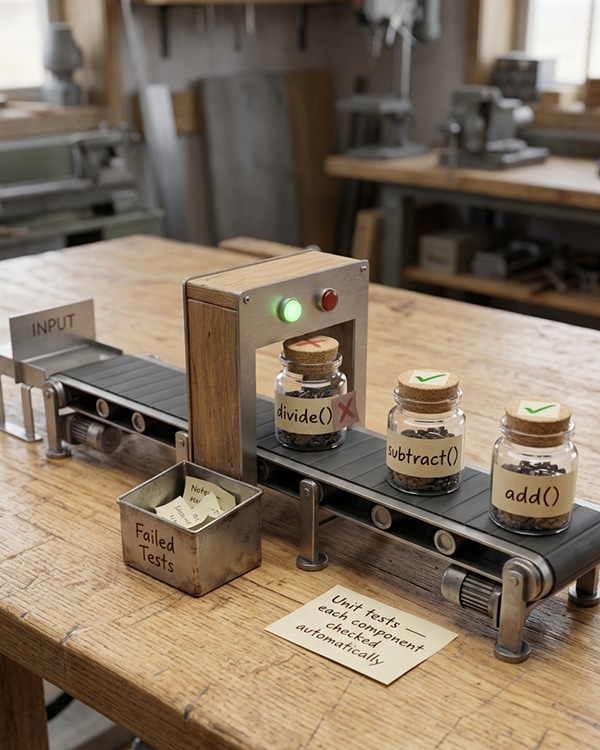
The practice of writing tests before code is called Test-Driven Development (TDD). Write a failing test first. Then write just enough code to make it pass. Then refactor. This cycle (Red-Green-Refactor) ensures every line of code is covered by a test.
- Catches bugs early, before they reach production
- Gives confidence to refactor and change code
- Serves as living documentation
- Forces better code design (testable code tends to be better organized)
- Saves time in the long run (debugging takes much longer than testing)
- Enables continuous integration and deployment
Python
# File: calculator.py
def add(a, b):
return a + b
def subtract(a, b):
return a – b
def multiply(a, b):
return a * b
def divide(a, b):
if b == 0:
raise ValueError(“Cannot divide by zero”)
return a / b
# File: test_calculator.py
import unittest
from calculator import add, subtract, multiply, divide
class TestCalculator(unittest.TestCase):
def test_add(self):
self.assertEqual(add(2, 3), 5)
self.assertEqual(add(-1, 1), 0)
self.assertEqual(add(0, 0), 0)
def test_subtract(self):
self.assertEqual(subtract(5, 3), 2)
self.assertEqual(subtract(0, 5), -5)
self.assertEqual(subtract(-3, -2), -1)
def test_multiply(self):
self.assertEqual(multiply(2, 3), 6)
self.assertEqual(multiply(-2, 3), -6)
self.assertEqual(multiply(0, 100), 0)
def test_divide(self):
self.assertEqual(divide(10, 2), 5)
self.assertEqual(divide(7, 2), 3.5)
self.assertEqual(divide(-10, 2), -5)
def test_divide_by_zero(self):
with self.assertRaises(ValueError):
divide(10, 0)
if __name__ == “__main__”:
unittest.main()
Bash
# Run a single test file
python -m unittest test_calculator.py
# Run with verbosity (more details)
python -m unittest -v test_calculator.py
# Discover and run all tests in a directory
python -m unittest discover
# Discover tests in a specific directory
python -m unittest discover -s tests
# Run a specific test method
python -m unittest test_calculator.TestCalculator.test_add
# Run using pytest (third-party, often nicer)
pytest test_calculator.py
🕯️ Magic Note
The if __name__ == “__main__” guard allows you to run the test file directly with python test_calculator.py. This is convenient during development.
| Method | Checks That |
|---|---|
| assertEqual(a, b) | a == b |
| assertNotEqual(a, b) | a != b |
| assertTrue(x) | x is True |
| assertFalse(x) | x is False |
| assertIs(a, b) | a is b (same object) |
| assertIsNot(a, b) | a is not b |
| assertIsNone(x) | x is None |
| assertIsNotNone(x) | x is not None |
| assertIn(a, b) | a in b |
| assertNotIn(a, b) | a not in b |
| assertIsInstance(a, b) | isinstance(a, b) |
| assertRaises(Error, func) | func raises Error |
Python
class TestAssertions(unittest.TestCase):
def test_assertions(self):
# Equality
self.assertEqual(5, 5)
self.assertNotEqual(5, 3)
# Truthiness
self.assertTrue(10 > 5)
self.assertFalse(10 < 5)
# Identity
a = [1, 2, 3]
b = a
self.assertIs(a, b)
self.assertIsNot(a, [1, 2, 3])
# None
value = None
self.assertIsNone(value)
# Membership
self.assertIn(2, [1, 2, 3])
self.assertNotIn(5, [1, 2, 3])
# Type checking
self.assertIsInstance(“hello”, str)
# Exception checking
with self.assertRaises(ValueError):
int(“not a number”)
Python
class TestDatabase(unittest.TestCase):
def setUp(self):
“””Run before EACH test method.”””
self.db = Database()
self.db.connect()
self.test_data = {“name”: “Ali”, “age”: 25}
def tearDown(self):
“””Run after EACH test method.”””
self.db.clear()
self.db.disconnect()
def test_insert(self):
self.db.insert(self.test_data)
self.assertEqual(self.db.count(), 1)
def test_find(self):
self.db.insert(self.test_data)
result = self.db.find(name=”Ali”)
self.assertEqual(result[“age”], 25)
🕯️ Magic Note
There are also class-level setup methods: setUpClass and tearDownClass run once per test class, not per test method. Use them for expensive operations like creating a database connection pool.
Python
class TestExpensiveOperations(unittest.TestCase):
@classmethod
def setUpClass(cls):
“””Run once before all tests in this class.”””
cls.connection = create_database_connection()
@classmethod
def tearDownClass(cls):
“””Run once after all tests in this class.”””
cls.connection.close()
Python
class TestSkipping(unittest.TestCase):
@unittest.skip(“Not implemented yet”)
def test_feature_not_ready(self):
pass
@unittest.skipIf(not hasattr(sys, “getwindowsversion”), “Windows only”)
def test_windows_only(self):
pass
@unittest.skipUnless(sys.platform.startswith(“linux”), “Linux only”)
def test_linux_only(self):
pass
def test_expected_failure(self):
@unittest.expectedFailure
def test_broken_feature(self):
self.assertEqual(1, 2) # This failure is expected
Python
def suite():
“””Create a test suite with specific tests.”””
test_suite = unittest.TestSuite()
test_suite.addTest(TestCalculator(“test_add”))
test_suite.addTest(TestCalculator(“test_divide_by_zero”))
test_suite.addTest(TestStringMethods(“test_upper”))
return test_suite
if __name__ == “__main__”:
runner = unittest.TextTestRunner()
runner.run(suite())
# Or use test loader
loader = unittest.TestLoader()
suite = loader.discover(“tests”)
unittest.TextTestRunner().run(suite)
Python
# File: user.py
class User:
def __init__(self, username, email):
self.username = username
self.email = email
self.is_active = True
def activate(self):
self.is_active = True
def deactivate(self):
self.is_active = False
def change_email(self, new_email):
if “@” not in new_email:
raise ValueError(“Invalid email address”)
self.email = new_email
# File: test_user.py
import unittest
from user import User
class TestUser(unittest.TestCase):
def setUp(self):
self.user = User(“alirezai”, “ali@example.com”)
def test_initialization(self):
self.assertEqual(self.user.username, “alirezai”)
self.assertEqual(self.user.email, “ali@example.com”)
self.assertTrue(self.user.is_active)
def test_activate(self):
self.user.deactivate()
self.user.activate()
self.assertTrue(self.user.is_active)
def test_deactivate(self):
self.user.deactivate()
self.assertFalse(self.user.is_active)
def test_change_email_valid(self):
self.user.change_email(“new@example.com”)
self.assertEqual(self.user.email, “new@example.com”)
def test_change_email_invalid(self):
with self.assertRaises(ValueError):
self.user.change_email(“invalid-email”)
Python
from unittest.mock import Mock, patch
class TestExternalAPI(unittest.TestCase):
def test_api_call_with_mock(self):
# Create a mock response object
mock_response = Mock()
mock_response.status_code = 200
mock_response.json.return_value = {“result”: “success”}
# Replace requests.get with our mock
with patch(“requests.get”, return_value=mock_response):
result = call_external_api()
self.assertEqual(result, {“result”: “success”})
def test_mock_called_with_correct_arguments(self):
mock_function = Mock()
# Call the mock
mock_function(1, 2, key=”value”)
# Verify it was called correctly
mock_function.assert_called_once_with(1, 2, key=”value”)
🕯️ Magic Note
The unittest.mock module is powerful. You can mock objects, functions, even entire modules. It allows you to test code that depends on databases, networks, or other external systems without actually connecting to them.
Bash
# Install coverage
pip install coverage
# Run tests with coverage
coverage run -m unittest discover
# Report coverage
coverage report
# Generate HTML report
coverage html
# Then open htmlcov/index.html
Bash
# Install pytest
pip install pytest
# Run tests (auto-discovers test_*.py)
pytest
Python
# test_calculator.py with pytest (no class needed!)
from calculator import add, subtract, multiply, divide
import pytest
def test_add():
assert add(2, 3) == 5
assert add(-1, 1) == 0
def test_divide_by_zero():
with pytest.raises(ValueError):
divide(10, 0)
@pytest.mark.parametrize(“a,b,expected”, [
(2, 3, 6),
(-2, 3, -6),
(0, 100, 0),
])
def test_multiply(a, b, expected):
assert multiply(a, b) == expected
🕯️ Magic Note
pytest is often preferred because it requires less boilerplate. No classes needed. Simple assert statements work. The parameterized testing feature is excellent. Many Python projects now use pytest over unittest.
- Testing multiple things in one test (each test should test one behavior)
- Tests that depend on order (tests should be independent)
- Testing implementation details instead of public interface
- Not testing edge cases (empty lists, zero, negative numbers, None)
- Tests that are too slow (they should be fast to encourage frequent running)
- Forgetting to test error conditions and exceptions
- Write a test for a function is_even(n) that returns True for even numbers.
- What is the purpose of setUp and tearDown methods?
- How do you test that a function raises a specific exception?
- What is mocking and when would you use it?
- Name three unittest assertion methods.
- What is the difference between unittest and pytest?
⚡ Whisper
A test is a promise. It says: “This code will behave this way.” When you change the code, the test reminds you of the promise. If the promise is broken, the test fails. This is not a punishment. It is a conversation. The test tells you: “You changed something. Was that intentional?” With tests, you change code without fear. Without tests, every change is a gamble. Write tests before you write code. Or write them after. But write them. They are not extra work. They are the foundation. A codebase without tests is a house without inspection. It might stand. It might collapse. You cannot know. Tests give you confidence. Tests give you freedom. Tests give you the courage to refactor, to improve, to make bold changes. This is not a luxury. This is professionalism. Start small. One test for one function. Then another. Soon, you will not imagine coding without tests. And your code will be stronger for it.


