



🕯️ Magic Note
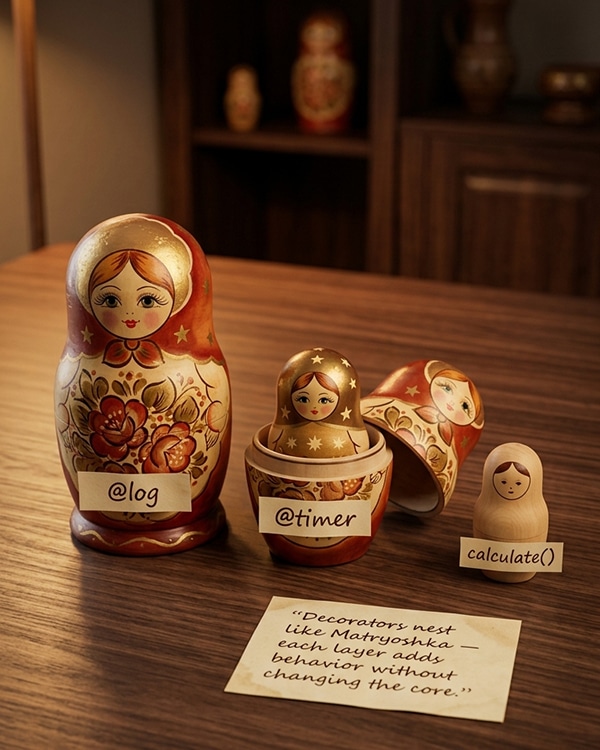
A decorator with arguments is actually a decorator factory. It takes parameters and returns a decorator. This two-level nesting confuses many programmers, but once you understand it, you unlock the full power of Python’s decorator system.
Python
from functools import wraps
import time
def retry(max_attempts=3, delay=1.0, exceptions=(Exception,)):
“””Decorator that retries a function on specified exceptions.”””
def decorator(func):
@wraps(func)
def wrapper(*args, **kwargs):
last_exception = None
for attempt in range(1, max_attempts + 1):
try:
return func(*args, **kwargs)
except exceptions as e:
last_exception = e
print(f”Attempt {attempt}/{max_attempts} failed: {e}”)
if attempt < max_attempts:
time.sleep(delay)
raise last_exception
return wrapper
return decorator
@retry(max_attempts=5, delay=0.5, exceptions=(ConnectionError, TimeoutError))
def fetch_data(url):
import random
if random.random() < 0.7:
raise ConnectionError(“Network issue”)
return f”Data from {url}”
print(fetch_data(“https://api.example.com”))
🕯️ Magic Note
The @retry(…) syntax calls the retry function, which returns the real decorator, which is then applied to fetch_data. This is equivalent to: fetch_data = retry(…)(fetch_data).
Python
from functools import wraps
import time
def timer(func=None, *, prefix=””):
“””Decorator that works with or without arguments.”””
def decorator(f):
@wraps(f)
def wrapper(*args, **kwargs):
start = time.perf_counter()
result = f(*args, **kwargs)
end = time.perf_counter()
message = f”{prefix}{f.__name__} took {end – start:.4f}s”
print(message)
return result
return wrapper
if func is None:
# Decorator was called with arguments: @timer(prefix=”>>> “)
return decorator
else:
# Decorator was called without arguments: @timer
return decorator(func)
# Both of these work:
@timer
def fast_function():
return sum(range(1000000))
@timer(prefix=”⏱️ “)
def slow_function():
time.sleep(0.5)
return “Done”
fast_function()
slow_function()
Python
from functools import wraps
def add_logging(cls):
“””Add logging to all methods of a class.”””
for name, method in cls.__dict__.items():
if callable(method) and not name.startswith(“_”):
@wraps(method)
def logged_method(*args, method=method, name=name, **kwargs):
print(f”[LOG] Calling {cls.__name__}.{name}”)
result = method(*args, **kwargs)
print(f”[LOG] {cls.__name__}.{name} returned {result}”)
return result
setattr(cls, name, logged_method)
return cls
@add_logging
class Calculator:
def add(self, a, b):
return a + b
def multiply(self, a, b):
return a * b
calc = Calculator()
calc.add(3, 5)
calc.multiply(4, 6)
🕯️ Magic Note
Class decorators are executed after the class is created but before it is bound to its name. This makes them perfect for modifying the class in place, adding methods, or registering the class with a registry.
Python
from functools import wraps
def singleton(cls):
“””Ensure only one instance of a class exists.”””
instances = {}
@wraps(cls)
def get_instance(*args, **kwargs):
if cls not in instances:
instances[cls] = cls(*args, **kwargs)
return instances[cls]
return get_instance
@singleton
class DatabaseConnection:
def __init__(self, url):
self.url = url
print(f”Creating connection to {url}”)
db1 = DatabaseConnection(“postgres://localhost”)
db2 = DatabaseConnection(“postgres://localhost”)
print(db1 is db2) # True (same instance)
Python
from functools import singledispatch
@singledispatch
def process(value):
raise NotImplementedError(f”No implementation for {type(value)}”)
@process.register(int)
def _(value):
return f”Processing integer: {value * 2}”
@process.register(str)
def _(value):
return f”Processing string: {value.upper()}”
@process.register(list)
def _(value):
return f”Processing list: {sum(value)}”
print(process(10)) # Processing integer: 20
print(process(“hello”)) # Processing string: HELLO
print(process([1, 2, 3])) # Processing list: 6
🕯️ Magic Note
This is Python’s version of method overloading. The default implementation is called if no registered implementation matches the type. This pattern is widely used in libraries like pydantic and dataclasses.
Python
class Temperature:
def __init__(self, celsius=0):
self._celsius = celsius
@property
def celsius(self):
“””Get temperature in Celsius.”””
return self._celsius
@celsius.setter
def celsius(self, value):
“””Set temperature in Celsius.”””
if value < -273.15:
raise ValueError(“Temperature below absolute zero”)
self._celsius = value
@celsius.deleter
def celsius(self):
print(“Deleting temperature”)
del self._celsius
@property
def fahrenheit(self):
“””Get temperature in Fahrenheit (read-only).”””
return self._celsius * 9/5 + 32
temp = Temperature(25)
print(temp.celsius) # 25 (getter)
temp.celsius = 30 # (setter)
print(temp.fahrenheit) # 86.0 (computed property)
del temp.celsius # (deleter)
Python
from functools import wraps
def decorator_a(func):
@wraps(func)
def wrapper(*args, **kwargs):
print(“A before”)
result = func(*args, **kwargs)
print(“A after”)
return result
return wrapper
def decorator_b(func):
@wraps(func)
def wrapper(*args, **kwargs):
print(“B before”)
result = func(*args, **kwargs)
print(“B after”)
return result
return wrapper
# Order: A wraps B wraps function
@decorator_a # Applied second (outermost)
@decorator_b # Applied first (innermost)
def greet():
print(“Hello!”)
greet()
# Output:
# A before
# B before
# Hello!
# B after
# A after
Python
from functools import wraps
from typing import get_type_hints
def type_check(func):
@wraps(func)
def wrapper(*args, **kwargs):
hints = get_type_hints(func)
# Check positional arguments
arg_names = list(hints.keys())[:-1] if hints.get(“return”) else list(hints.keys())
for arg, name in zip(args, arg_names):
expected = hints.get(name)
if expected and not isinstance(arg, expected):
raise TypeError(f”Argument ‘{name}’ should be {expected.__name__}, got {type(arg).__name__}”)
# Check keyword arguments
for name, arg in kwargs.items():
expected = hints.get(name)
if expected and not isinstance(arg, expected):
raise TypeError(f”Argument ‘{name}’ should be {expected.__name__}, got {type(arg).__name__}”)
return func(*args, **kwargs)
return wrapper
@type_check
def add(a: int, b: int) -> int:
return a + b
print(add(5, 3)) # 8
# print(add(“5”, 3)) # TypeError: Argument ‘a’ should be int, got str
Python
from functools import wraps
def lazy_property(func):
“””Property that computes once and caches the result.”””
attr_name = f”_lazy_{func.__name__}”
@property
@wraps(func)
def wrapper(self):
if not hasattr(self, attr_name):
setattr(self, attr_name, func(self))
return getattr(self, attr_name)
return wrapper
class DataAnalyzer:
def __init__(self, data):
self.data = data
@lazy_property
def mean(self):
print(“Computing mean (expensive operation)…”)
return sum(self.data) / len(self.data)
@lazy_property
def median(self):
print(“Computing median (expensive operation)…”)
sorted_data = sorted(self.data)
n = len(sorted_data)
mid = n // 2
if n % 2:
return sorted_data[mid]
return (sorted_data[mid – 1] + sorted_data[mid]) / 2
analyzer = DataAnalyzer([1, 2, 3, 4, 5, 6, 7, 8, 9, 10])
print(analyzer.mean) # Computing mean… 5.5
print(analyzer.mean) # 5.5 (cached, no computation)
🕯️ Magic Note
This pattern is similar to @property but with caching. It is useful for expensive computations that should only happen once. Python 3.8+ has @functools.cached_property for exactly this purpose.
Python
from functools import wraps
def bound_method(func):
“””Decorator that knows about self.”””
@wraps(func)
def wrapper(self, *args, **kwargs):
print(f”Calling {func.__name__} on {self}”)
return func(self, *args, **kwargs)
return wrapper
class Person:
def __init__(self, name):
self.name = name
@bound_method
def greet(self):
return f”Hello, I am {self.name}”
p = Person(“Ali”)
print(p.greet())
- Forgetting the extra nesting level for decorators with arguments
- Modifying *args or **kwargs without understanding the impact
- Not handling self in method decorators
- Confusing the order of stacked decorators
- Creating decorators that are too complex (often a sign of needing a different pattern)
- Overusing decorators when a simple function would suffice
- Write a decorator that limits the number of times a function can be called.
- How do you write a decorator that can be used both with and without arguments?
- What is the difference between a class decorator and a function decorator?
- What does functools.singledispatch do?
- Write a decorator that caches the result of a function (memoization).
- Explain the order of execution for stacked decorators with an example.
⚡ Whisper
Decorators are a journey. You start with simple wrappers. Then you discover you need arguments. Then you realize decorators can decorate classes. Then you learn about singledispatch and cached_property. Each step reveals new power. The syntax is small: @decorator above a function. But the implications are large. A decorator can add logging, timing, retries, caching, validation, permissions, or any cross-cutting concern. It keeps your core functions clean and focused. The decorator handles the rest. This is separation of concerns. This is elegance. Do not overuse decorators. Not everything needs to be a decorator. But when you see repeated patterns across functions, reach for a decorator. Start simple. Test your decorators. Use @wraps always. And remember: a decorator is just a function that returns a function. That is the whole magic. The rest is practice.


