



🕯️ Magic Note
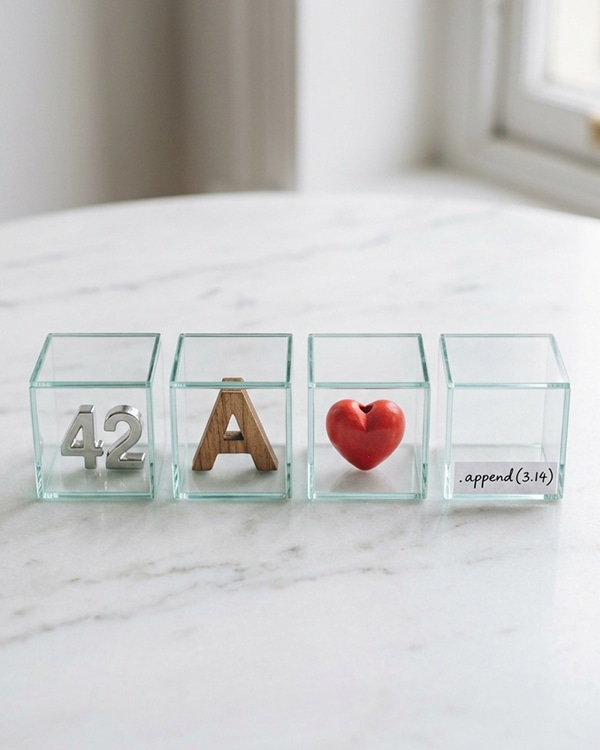
Lists are mutable (you can change them), ordered (items keep their position), and can contain mixed types (a list can hold numbers, strings, and booleans together). This flexibility makes lists the Swiss Army knife of Python collections.
Python
# Empty list
empty = []
# List of numbers
numbers = [1, 2, 3, 4, 5]
# List of strings
fruits = [“apple”, “banana”, “cherry”]
# Mixed types
mixed = [42, “hello”, 3.14, True]
# List can contain other lists (nested)
nested = [[1, 2], [3, 4], [5, 6]]
# Using the list() constructor
chars = list(“abc”) # [‘a’, ‘b’, ‘c’]
range_list = list(range(5)) # [0, 1, 2, 3, 4]
Python
fruits = [“apple”, “banana”, “cherry”, “date”, “elderberry”]
# Index: 0 1 2 3 4
# Negative: -5 -4 -3 -2 -1
print(fruits[0]) # apple
print(fruits[2]) # cherry
print(fruits[-1]) # elderberry (last item)
print(fruits[-2]) # date (second last)
Python
numbers = [0, 1, 2, 3, 4, 5, 6, 7, 8, 9]
print(numbers[2:6]) # [2, 3, 4, 5] (indices 2 through 5)
print(numbers[:4]) # [0, 1, 2, 3] (start omitted → beginning)
print(numbers[6:]) # [6, 7, 8, 9] (end omitted → end)
print(numbers[::2]) # [0, 2, 4, 6, 8] (every second)
print(numbers[::-1]) # [9, 8, 7, 6, 5, 4, 3, 2, 1, 0] (reverse)
Python
fruits = [“apple”, “banana”, “cherry”]
print(fruits) # [‘apple’, ‘banana’, ‘cherry’]
# Change the second item
fruits[1] = “blueberry”
print(fruits) # [‘apple’, ‘blueberry’, ‘cherry’]
# Change a slice (multiple items at once)
fruits[0:2] = [“apricot”, “avocado”]
print(fruits) # [‘apricot’, ‘avocado’, ‘cherry’]
🕯️ Magic Note
Because lists are mutable, they behave differently than strings when passed to functions. Changing a list inside a function changes the original list outside as well. This is called mutability and it is both powerful and dangerous.
| Method | What It Does | Example | Result |
|---|---|---|---|
| .append(x) | Adds x to the end of the list | [1,2].append(3) | [1, 2, 3] |
| .insert(i, x) | Inserts x at index i (shifts right) | [1,3].insert(1,2) | [1, 2, 3] |
| .extend(iter) | Adds all items from another iterable | [1,2].extend([3,4]) | [1, 2, 3, 4] |
| + operator | Creates a new list (original unchanged) | [1,2] + [3,4] | [1, 2, 3, 4] |
Python
shopping = []
# Append adds one item to the end
shopping.append(“milk”)
shopping.append(“eggs”)
print(shopping) # [‘milk’, ‘eggs’]
# Insert at a specific position
shopping.insert(1, “bread”)
print(shopping) # [‘milk’, ‘bread’, ‘eggs’]
# Extend adds multiple items from another list
shopping.extend([“butter”, “cheese”])
print(shopping) # [‘milk’, ‘bread’, ‘eggs’, ‘butter’, ‘cheese’]
| Method | What It Does | Example | Result |
|---|---|---|---|
| .remove(x) | Removes the first occurrence of x (error if not found) | [1,2,1].remove(1) | [2, 1] |
| .pop(i) | Removes and returns item at index i (default: last) | [1,2,3].pop() | returns 3, list becomes [1, 2] |
| .clear() | Removes all items from the list | [1,2,3].clear() | [] |
| del | Deletes item by index or slice | del my_list[0] | removes first item |
Python
colors = [“red”, “blue”, “green”, “blue”, “yellow”]
# Remove by value (first occurrence only)
colors.remove(“blue”)
print(colors) # [‘red’, ‘green’, ‘blue’, ‘yellow’]
# Pop removes and returns by index
removed = colors.pop(1)
print(removed) # green
print(colors) # [‘red’, ‘blue’, ‘yellow’]
# Pop with no argument removes the last item
last = colors.pop()
print(last) # yellow
print(colors) # [‘red’, ‘blue’]
Python
fruits = [“apple”, “banana”, “cherry”, “banana”]
# Check existence
print(“banana” in fruits) # True
print(“grape” in fruits) # False
# Find index (first occurrence)
pos = fruits.index(“banana”)
print(pos) # 1
# .index() with start and end parameters
pos = fruits.index(“banana”, 2)
print(pos) # 3 (searches from index 2 onward)
# Count occurrences
print(fruits.count(“banana”)) # 2
Python
items = [“spell”, “potion”, “wand”]
print(len(items)) # 3
# Empty list is False in boolean context
empty = []
if empty:
print(“This won’t print”)
else:
print(“Empty list is falsy”) # This prints
🕯️ Magic Note
An empty list evaluates to False in boolean contexts. This is useful for checking if a list has any items: if my_list: means “if my_list is not empty”.
Python
colors = [“red”, “green”, “blue”]
# Loop through items
for color in colors:
print(color)
# Output:
# red
# green
# blue
# Loop with index using enumerate
for i, color in enumerate(colors):
print(f”{i}: {color}”)
# 0: red
# 1: green
# 2: blue
Python
numbers = [3, 1, 4, 1, 5, 9, 2]
# .sort() modifies the list in ascending order
numbers.sort()
print(numbers) # [1, 1, 2, 3, 4, 5, 9]
# .sort(reverse=True) for descending
numbers.sort(reverse=True)
print(numbers) # [9, 5, 4, 3, 2, 1, 1]
# .reverse() reverses the order in place
numbers.reverse()
print(numbers) # [1, 1, 2, 3, 4, 5, 9] (back to original order)
# sorted() returns a new list (original unchanged)
original = [3, 1, 2]
new = sorted(original)
print(original) # [3, 1, 2] (unchanged)
print(new) # [1, 2, 3] (new sorted list)
Python
original = [1, 2, 3]
# This does NOT create a copy (both reference the same list)
not_a_copy = original
not_a_copy.append(4)
print(original) # [1, 2, 3, 4] (original changed!)
# Three ways to create a true copy
copy1 = original.copy()
copy2 = original[:]
copy3 = list(original)
copy1.append(5)
print(original) # [1, 2, 3, 4] (unchanged)
print(copy1) # [1, 2, 3, 4, 5]
Python
matrix = [
[1, 2, 3],
[4, 5, 6],
[7, 8, 9]
]
print(matrix[0]) # [1, 2, 3] (first row)
print(matrix[1][2]) # 6 (second row, third column)
# Loop through a nested list
for row in matrix:
for item in row:
print(item, end=” “)
# 1 2 3 4 5 6 7 8 9
- Accidentally sharing a list instead of copying it: b = a does not copy
- Modifying a list while iterating over it (causes skipped items or errors)
- Using .remove() without checking if the item exists
- Confusing .append() with .extend(): .append([1,2]) adds one nested list, .extend([1,2]) adds two items
- Forgetting that .sort() returns None (it modifies in place)
- Using index out of range causing IndexError
- How do you create a list with the numbers 10, 20, and 30?
- What is the difference between .append() and .extend()?
- How do you get the last item of a list without knowing its length?
- Write code to check if “apple” is in a list called fruits.
- Why does b = a not create a copy of a list?
- What is the output of [1,2,3].pop() and what does the list become?
⚡ Whisper
A list is a shelf where you store your treasures. You can reach for the first item, the last, or any in between. You can add new treasures at the end or slip them between existing ones. You can remove what you no longer need. The list holds your items in order, waiting for you to return. But remember: when you hand someone your list, you are not giving them a copy. You are showing them the shelf itself. If they rearrange it, your treasures move too. Be careful what you share. Be mindful of what you change.


