



🕯️ Magic Note
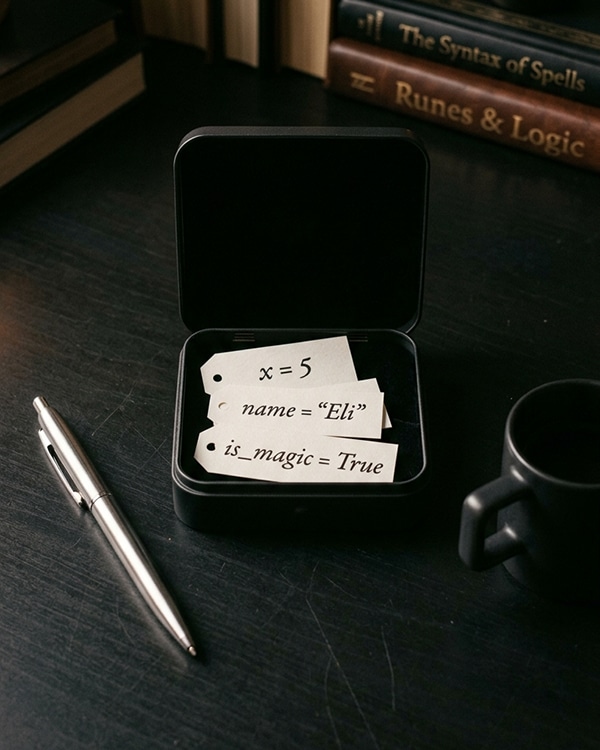
In many programming languages, you must declare a variable’s type before using it (like saying “this jar will only hold moon dust”). Python is different. You simply put a value inside, and Python remembers the type for you. This is called dynamic typing. It gives you freedom, but also responsibility. A variable can change its type if you put something new inside.
Python
# Creating variables (assignment)
age = 25
name = “Feloriya”
price = 19.99
is_magical = True
# Using variables (reading the value)
print(age) # 25
print(name) # Feloriya
print(price + 5) # 24.99
| Rule | Example (Valid) | Example (Invalid) |
|---|---|---|
| Start with a letter or underscore | name, _hidden | 1name (cannot start with number) |
| Can contain letters, numbers, underscores | user_1, my_var | user-name (hyphen not allowed) |
| Case sensitive | age vs Age (different variables) | N/A |
| Cannot use Python keywords | my_class | class (reserved keyword) |
| No spaces allowed | first_name | first name (space not allowed) |
| and | as | assert | async | await |
| break | class | continue | def | del |
| elif | else | except | False | finally |
| for | from | global | if | import |
| in | is | lambda | None | nonlocal |
| not | or | pass | raise | return |
| True | try | while | with | yield |
Python
# Valid variable names
user_age = 25
_private = “secret”
variable1 = 100
long_variable_name = “okay”
camelCaseIsAllowed = “but not common in Python”
# Invalid variable names (will cause SyntaxError)
# 1user = 10
# user-name = “Ali”
# class = “Python”
# my variable = 5
🕯️ Magic Note
Python has a style guide called PEP 8. It recommends using snake_case for variable names: all lowercase letters with underscores between words. Examples: user_age, first_name, total_price. This is not a rule (Python will accept other styles) but following it makes your code more readable to other Python programmers.
Python
score = 10
print(score) # 10
score = 25
print(score) # 25 (value changed)
score = “high” # Now score holds a string, not a number
print(score) # high (type changed too!)
Python
# Assign multiple variables at once
a, b, c = 1, 2, 3
print(a) # 1
print(b) # 2
print(c) # 3
# Assign the same value to multiple variables
x = y = z = 0
print(x, y, z) # 0 0 0
Python
# Swapping values without a temporary variable
x = 5
y = 10
print(x, y) # 5 10
x, y = y, x # The magic swap
print(x, y) # 10 5
Python
data = 42 # data is an int
print(type(data)) # <class ‘int’>
data = “forty two” # now data is a str
print(type(data)) # <class ‘str’>
data = 3.14 # now data is a float
print(type(data)) # <class ‘float’>
🕯️ Magic Note
Dynamic typing gives you flexibility. You do not need to plan everything in advance. You can write code that adapts to different situations. However, with great power comes great responsibility. Changing a variable’s type midway through your program can lead to bugs that are hard to find. Use this freedom wisely.
| Convention | Example | When to Use |
|---|---|---|
| snake_case | user_age, total_price | Regular variables (recommended) |
| UPPER_CASE | MAX_SIZE, PI | Constants (values that never change) |
| _single_underscore | _internal | “Private” variable (internal use only) |
| __double_underscore | __private | Name mangling (advanced, for classes) |
Python
# Constants in Python (by convention only)
MAX_CONNECTIONS = 100
DEFAULT_COLOR = “#000000”
PI = 3.14159
# Python does not prevent changing these
# But other programmers will know they should stay constant
Python
temp_value = 100
print(temp_value) # 100
del temp_value
# print(temp_value) # NameError: name ‘temp_value’ is not defined
Python
# A small spell that uses variables
user_name = input(“Enter your name: “)
birth_year = int(input(“Enter your birth year: “))
current_year = 2025
age = current_year – birth_year
print(f”Hello {user_name}!”)
print(f”You are approximately {age} years old.”)
# Possible output:
# Hello Feloriya!
# You are approximately 25 years old.
- Using a variable before assigning a value to it: print(score) before score = 10 causes NameError
- Forgetting that Python is case sensitive: Name and name are different variables
- Using reserved keywords: class = “Python” causes SyntaxError
- Putting spaces in variable names: user name = “Ali” is invalid
- Starting a variable name with a number: 1st_place = “gold” is invalid
- Confusing = (assignment) with == (equality comparison)
- Assuming a variable keeps its type forever (dynamic typing means it can change)
- How do you create a variable named score with the value 100?
- Which of these is a valid variable name: 2cool, cool_2, cool-2, class?
- What happens if you try to use a variable before assigning it a value?
- Write one line of code that swaps the values of a and b.
- Can a variable change its type after being created? Give an example.
- What does PEP 8 recommend for variable naming?
⚡ Whisper
A variable is a whisper you write down so you do not forget. You give it a name that means something to you, and you place a value inside. Later, when you speak that name, the value returns to you as if it never left. This is the simplest form of memory. This is where all programs begin. A name. A value. A quiet understanding between you and the machine. Guard your names well. Choose them with care. A spell cast with a confusing name is a spell that will fail when you need it most.


