



🕯️ Magic Note
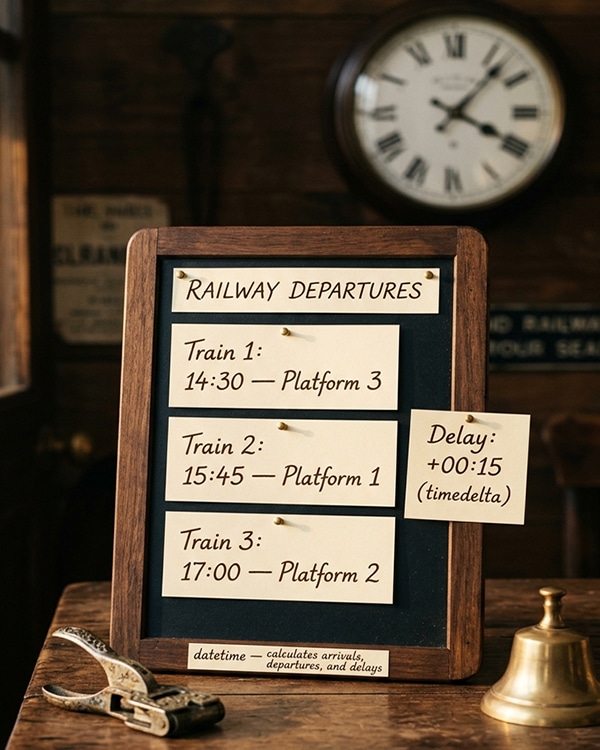
The datetime module handles leap years, leap seconds (partially), and calendar complexities automatically. You do not need to remember how many days are in each month or which years are leap years. The module does it for you.
Python
from datetime import date
# Creating dates
today = date.today()
birthday = date(2025, 5, 15)
new_year = date(2025, 1, 1)
print(f”Today: {today}”)
print(f”Birthday: {birthday}”)
print(f”Year: {today.year}, Month: {today.month}, Day: {today.day}”)
# Day of week (Monday=0, Sunday=6)
print(f”Today is weekday {today.weekday()}”)
print(f”ISO weekday (Monday=1, Sunday=7): {today.isoweekday()}”)
# Date components
print(f”Year: {today.year}”)
print(f”Month: {today.month}”)
print(f”Day: {today.day}”)
# Check if a date is valid
try:
invalid = date(2025, 2, 30) # February 30 does not exist
except ValueError as e:
print(f”Error: {e}”)
🕯️ Magic Note
The date.today() method uses the system’s local time. It does not include timezone information. For timezone-aware dates, use datetime.now() with a timezone.
Python
from datetime import time
# Creating times
noon = time(12, 0, 0)
evening = time(18, 30, 15)
midnight = time(0, 0, 0)
with_microseconds = time(14, 30, 45, 500000)
print(f”Noon: {noon}”)
print(f”Evening: {evening}”)
print(f”Hour: {noon.hour}, Minute: {noon.minute}, Second: {noon.second}”)
# Time components
print(f”Hour: {evening.hour}”)
print(f”Minute: {evening.minute}”)
print(f”Second: {evening.second}”)
print(f”Microsecond: {evening.microsecond}”)
# ISO format
print(f”ISO time: {evening.isoformat()}”)
Python
from datetime import datetime
# Current date and time
now = datetime.now()
print(f”Now: {now}”)
# Creating specific datetimes
event = datetime(2025, 12, 25, 18, 0, 0)
print(f”Event: {event}”)
# Accessing components
print(f”Year: {now.year}”)
print(f”Month: {now.month}”)
print(f”Day: {now.day}”)
print(f”Hour: {now.hour}”)
print(f”Minute: {now.minute}”)
print(f”Second: {now.second}”)
print(f”Microsecond: {now.microsecond}”)
# Extract date and time components
only_date = now.date()
only_time = now.time()
print(f”Date part: {only_date}”)
print(f”Time part: {only_time}”)
# Combine date and time from separate objects
d = date(2025, 5, 10)
t = time(14, 30)
combined = datetime.combine(d, t)
print(f”Combined: {combined}”)
🕯️ Magic Note
The datetime class is immutable. Once created, its values cannot change. Methods like replace() create a new datetime with modified fields.
Python
from datetime import datetime, timedelta
# Creating timedeltas
one_day = timedelta(days=1)
one_week = timedelta(weeks=1)
one_hour = timedelta(hours=1)
ten_days = timedelta(days=10)
complex_delta = timedelta(days=5, hours=3, minutes=30, seconds=15)
print(f”One day: {one_day}”)
print(f”Complex: {complex_delta}”)
# Adding and subtracting timedeltas
now = datetime.now()
tomorrow = now + one_day
yesterday = now – one_day
next_week = now + one_week
print(f”Now: {now}”)
print(f”Tomorrow: {tomorrow}”)
print(f”Yesterday: {yesterday}”)
# Difference between datetimes
new_year = datetime(2025, 1, 1)
days_until_new_year = new_year – now
print(f”Days until New Year: {days_until_new_year.days}”)
print(f”Seconds until New Year: {days_until_new_year.seconds}”)
print(f”Total seconds: {days_until_new_year.total_seconds()}”)
🕯️ Magic Note
timedelta only stores days, seconds, and microseconds. When you create a timedelta with weeks, hours, or minutes, they are converted to days and seconds automatically.
Python
from datetime import datetime
now = datetime.now()
# Common format codes
print(f”Year: {now.strftime(‘%Y’)}”) # 2025
print(f”Month: {now.strftime(‘%m’)}”) # 05 (zero-padded)
print(f”Month name: {now.strftime(‘%B’)}”) # May
print(f”Short month: {now.strftime(‘%b’)}”) # May
print(f”Day: {now.strftime(‘%d’)}”) # 10 (zero-padded)
print(f”Hour (24h): {now.strftime(‘%H’)}”) # 14
print(f”Hour (12h): {now.strftime(‘%I’)}”) # 02
print(f”Minute: {now.strftime(‘%M’)}”) # 30
print(f”Second: {now.strftime(‘%S’)}”) # 45
print(f”AM/PM: {now.strftime(‘%p’)}”) # PM
print(f”Weekday (name): {now.strftime(‘%A’)}”) # Saturday
print(f”Weekday (short): {now.strftime(‘%a’)}”) # Sat
# Common format combinations
print(f”YYYY-MM-DD: {now.strftime(‘%Y-%m-%d’)}”)
print(f”DD/MM/YYYY: {now.strftime(‘%d/%m/%Y’)}”)
print(f”HH:MM:SS: {now.strftime(‘%H:%M:%S’)}”)
print(f”Full datetime: {now.strftime(‘%Y-%m-%d %H:%M:%S’)}”)
print(f”Readable: {now.strftime(‘%A, %B %d, %Y at %I:%M %p’)}”)
print(f”ISO-like: {now.strftime(‘%Y-%m-%dT%H:%M:%S’)}”)
Python
from datetime import datetime
# Parse common formats
date_str1 = “2025-05-10”
parsed1 = datetime.strptime(date_str1, “%Y-%m-%d”)
print(f”Parsed: {parsed1}”)
date_str2 = “10/05/2025 14:30:00”
parsed2 = datetime.strptime(date_str2, “%d/%m/%Y %H:%M:%S”)
print(f”Parsed: {parsed2}”)
date_str3 = “May 10, 2025”
parsed3 = datetime.strptime(date_str3, “%B %d, %Y”)
print(f”Parsed: {parsed3}”)
date_str4 = “Sat, 10 May 2025 14:30:45”
parsed4 = datetime.strptime(date_str4, “%a, %d %b %Y %H:%M:%S”)
print(f”Parsed: {parsed4}”)
# Handling errors
try:
invalid = datetime.strptime(“2025-13-45”, “%Y-%m-%d”)
except ValueError as e:
print(f”Parse error: {e}”)
Python
from datetime import datetime, timezone, timedelta
# Naive vs aware datetimes
naive = datetime.now()
aware_utc = datetime.now(timezone.utc)
print(f”Naive (no timezone): {naive}”)
print(f”Aware (UTC): {aware_utc}”)
print(f”Aware tzinfo: {aware_utc.tzinfo}”)
# Creating timezone-aware datetime
eastern = timezone(timedelta(hours=-5))
ny_time = datetime(2025, 5, 10, 14, 30, tzinfo=eastern)
print(f”New York time: {ny_time}”)
# Convert between timezones
utc_time = ny_time.astimezone(timezone.utc)
print(f”UTC equivalent: {utc_time}”)
# Using zoneinfo (Python 3.9+)
try:
from zoneinfo import ZoneInfo
tokyo = datetime.now(ZoneInfo(“Asia/Tokyo”))
print(f”Tokyo time: {tokyo}”)
except ImportError:
print(“zoneinfo requires Python 3.9+”)
🕯️ Magic Note
Always store datetimes in UTC. Convert to local time only for display. This avoids timezone conversion bugs when dealing with users in different time zones.
Python
from datetime import datetime, timedelta, date
# Example 1: Countdown timer
target = datetime(2025, 12, 31, 23, 59, 59)
now = datetime.now()
remaining = target – now
print(f”Countdown: {remaining.days} days, {remaining.seconds // 3600} hours”)
# Example 2: Age calculator
birth_date = date(2000, 5, 15)
today = date.today()
age = today.year – birth_date.year
if (today.month, today.day) < (birth_date.month, birth_date.day):
age -= 1
print(f”Age: {age} years”)
# Example 3: Last day of month
def last_day_of_month(year, month):
if month == 12:
return date(year + 1, 1, 1) – timedelta(days=1)
return date(year, month + 1, 1) – timedelta(days=1)
print(f”Last day of Feb 2024: {last_day_of_month(2024, 2)} (leap year)”)
print(f”Last day of Feb 2025: {last_day_of_month(2025, 2)}”)
# Example 4: Business days (excluding weekends)
def add_business_days(start_date, days):
current = start_date
added = 0
while added < days:
current += timedelta(days=1)
if current.weekday() < 5: # Monday=0, Friday=4
added += 1
return current
start = date(2025, 5, 10)
print(f”5 business days from {start}: {add_business_days(start, 5)}”)
- Assuming datetime.now() includes timezone (it is naive by default)
- Comparing naive and aware datetimes (TypeError)
- Forgetting that timedelta days can be negative
- Using strftime with wrong format codes (leading to incorrect results)
- Not handling timezone when storing datetimes in databases (use UTC)
- Creating date with invalid values (month=13, day=32) causing ValueError
- How do you get the current date and time with timezone information?
- What is the difference between a naive and aware datetime?
- Write a function that returns the number of days between two dates.
- How do you format a datetime as “2025-05-10 14:30:45”?
- Parse the string “10/May/2025 2:45 PM” into a datetime.
- Why should you store datetimes in UTC?
⚡ Whisper
Time is tricky. Days have different lengths. Years have leap days. Time zones shift. Daylight saving comes and goes. But the datetime module handles all of this for you. You do not need to know if February has 28 or 29 days. You do not need to calculate seconds between dates manually. The module does the math. It knows the calendar. It respects leap years. Learn its methods. Master its formats. Store your times in UTC. Convert only for display. Use timedelta for arithmetic. Parse with strptime. Format with strftime. Respect time zones. Then time becomes your ally, not your enemy. The clock ticks. The calendar turns. Your code keeps perfect time.


